Write AI agent skills that actually work

How to write a SKILL.md recipe so a coding helper finds it, follows the same steps, and proves the work is done. Covers the wake-up line, a look-then-do-then-check structure, and a checklist before you save.
1 What an agent skill really is
An AI agent skill is a short written recipe, stored with the rest of the project so it can change over time. It is usually a folder with a Markdown file named SKILL.md. Markdown is a simple text format for notes and docs. The file tells a coding agent (the AI in your editor that can read files and run commands) when to start and how to run one job: open a pull request (a proposed code change), ask hard questions until a plan is clear, review security, or publish a preview copy of the app.
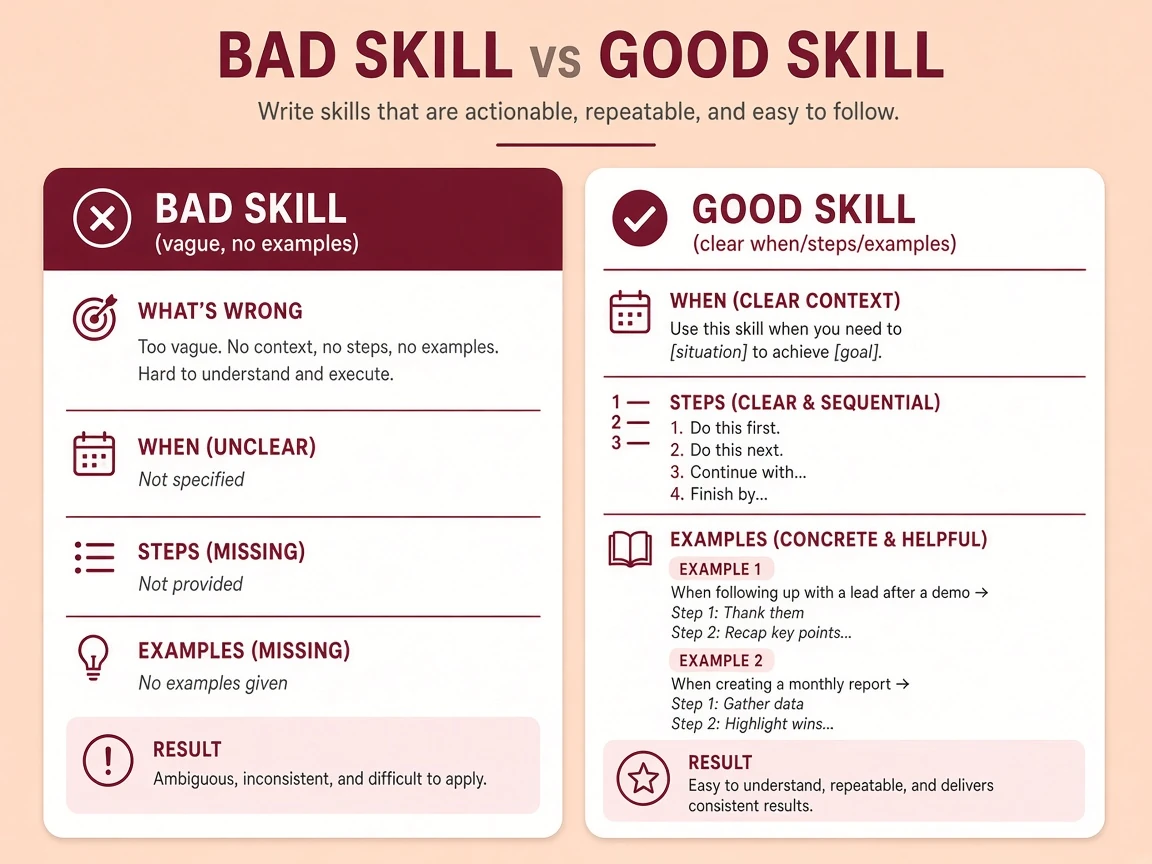
Skills are not career skills
Search “AI skills for engineers” and you get Python, RAG (fetching extra facts for an AI), and quality checks. Useful later. Day to day I care more about agent skills: short process files that stop the model from inventing a new workflow every session.
Links Cursor Skills docs Agent Skills standard Earlier thales.dev guide
2 Skills vs rules
If every note is always loaded, you spend extra tokens (the small chunks of text the model is billed and limited by) and the agent ignores half of it. Split the job:
/skill-name.paths line at the top can limit a skill to files like **/*.tsx or one package folder, so it does not show up on unrelated files.A skill that never starts is just a notes file the agent never opens. Fix the description before you add more steps to the body.
3 How loading works (why a short file wins)
Agents in tools like Cursor do not dump every skill body into the prompt. They climb a ladder:
- FindOnly
name+descriptionfor each skill - OpenFull
SKILL.mdwhen the task matches - If neededRead extra notes in
references/, runscripts/
What gets loaded Name list only→One recipe→Extra files if needed
Keep SKILL.md short
Put the decision tree (if this, then that) and the steps in the main file. Park long checklists, command lists, and style dumps in references/. The agent opens those only when the step needs them.
4 The shape of a good SKILL.md
Minimum shape: a folder named like the skill, plus a small settings block at the top (between --- lines) that the agent can index. That block is often called frontmatter.
A small starter file
---
name: deploy-staging
description: Deploy this app to staging. Use when the user asks to deploy, ship to staging, or release a preview.
---

# Deploy staging

## Instructions
1. Read current git status and failing tests.
2. Run scripts/validate.sh
3. Run scripts/deploy.sh staging
4. Verify the health URL returns 200
| Field | Required | What it is for |
|---|---|---|
name | Yes | A lowercase id. It must match the folder name |
description | Yes | The wake-up text. This is the search index, not marketing copy |
paths | No | A file-pattern list so the skill only appears on matching files |
disable-model-invocation | No | If true, you must type the command. The agent will not start it on its own. Use that for risky jobs, such as deleting data or spending money |
- Cursor
- Claude Code
- Codex
- agentskills.io
5 Write the description like a list of wake-up phrases
Most “my skill never runs” bugs are vague descriptions. The steps can be perfect and the skill can still sit unused forever.
Do this
- Lead with what the skill does in plain words
- List real phrases people type: “open PR”, “publish article”, “triage bugs”
- Say when not to use it, if two skills could overlap
- Write it as a catalog entry about the skill, not as “I will help you”
Avoid this
- “Helpful coding assistant for deploys”
- A pile of synonyms that never name the phrases people type
- Descriptions that could match half the chat
- Hiding the only wake-up words in the body of the file
A description with real wake-up phrases
description: Create a GitHub pull request for the current branch. Use when the user asks to open a PR, create a pull request, or submit changes for review. Do not use for push-only or local commits.
6 Structure the body: Gather, Act, Verify
I steal this shape from people who ship skills that survive real projects. It forces the agent to look before it types, then prove the work landed.
- Gather: which files, status commands, or docs must be read first
- Act: the ordered steps, scripts, or edits (pick one verb family: deploy or release, not both as synonyms)
- Verify: tests, HTTP checks,
git status, a screenshot, whatever proves the job is done
If a step cannot end on something you can check, the model will invent success. Put that proof in the skill.
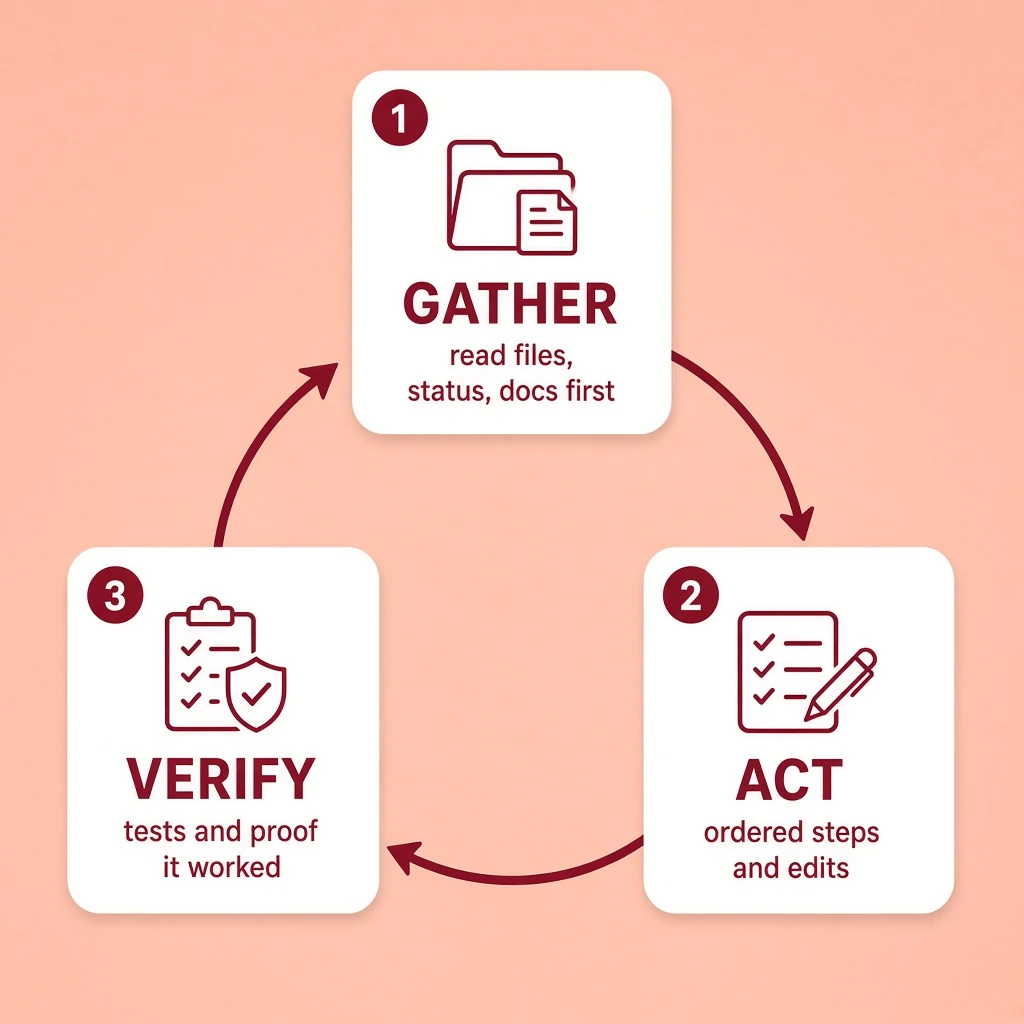
Loop Gather→Act→Verify→Fix or stop
7 Quality checklist before you save
| Checks before a skill is ready | |||
|---|---|---|---|
| One job | Wake-up phrases | Steps you can check | Short main file |
| Mix small skills | Point at real files | What not to do | Cut unused lines |
A simple proof it works
Ask for the skill with three different phrasings of a real task. If none of them load it, rewrite the description. Only then grow the body.
8 Start this week
A concrete path
- Pick one pain you hit twice a week (pull request writeups, deploys, article inserts, reviews that miss the same things)
- In Cursor, try
/create-skillor copy a short skill from a trusted set - Write the description first, with the verbs you actually say out loud
- Fill Gather → Act → Verify with steps you can check
- Move long reference material into
references/ - Run it on a real change, then cut anything the agent ignored
Where skills live
- Project:
.cursor/skills/or.agents/skills/ - Your user folder:
~/.cursor/skills/or~/.agents/skills/ - Also found under Claude and Codex skill folders, so the same files can work in more than one tool
- Nested package folders work in monorepos (one folder that holds several packages)
9 Resources worth opening
| Resource | Why open it |
|---|---|
| Cursor Agent Skills docs | Where files go, the top settings block, scripts, and moving old rules into skills |
| Cursor: coding with agents | When to use a rule versus a skill, plus everyday agent habits |
| agentskills.io | The shared format that SKILL.md files follow |
| mattpocock/skills | Small skills aimed at real problems, like building the wrong thing or messy code |
| Metablogue: skills that work | How to write the wake-up line, how much text to load, and when not to use a skill |