How to create good AI agent skills (with Matt Pocock’s skills repo)

An AI agent skill is a short written recipe that tells a coding helper what to do. This piece shows how to install Matt Pocock’s ready-made set, then how to write your own so the helper repeats the same careful steps.
1 What AI agent skills are
Search “how to develop AI skills as a software engineer” and you mostly get career lists: learn Python, learn how to fetch extra facts for an AI (often called RAG), learn how to build agents, learn how to check whether the answers are any good. Those lists are useful. There is a second meaning I care about more on a normal workday: agent skills.
An agent skill is a short written recipe, usually a Markdown file named SKILL.md. Markdown is a simple text format for notes and docs. The file teaches a coding agent (the AI in your editor that can read files and run commands) when to start a job and which steps to follow, so each new chat does not begin from scratch.
Career skills vs agent skills
Career “AI engineer skills” are about building products with AI models. Agent skills are smaller and more selfish: you put your process into the agent so it works more like a careful senior engineer, and less like a fast junior who forgets yesterday.
Links mattpocock/skills Agent Skills standard Write skills that actually work
2 Why Matt Pocock’s skill set is a good model
mattpocock/skills calls them “Skills for Real Engineers.” They are small files you can edit. They are not a huge toolkit that takes over how you work. The README is blunt about big process kits. When something breaks, you should be fixing the bug, not fighting the toolkit.
The set is grouped around four problems almost everyone hits with coding agents:
/grill-me, /grill-with-docs).CONTEXT.md and in short decision notes (often called ADRs)./tdd (write a failing check first), /diagnosing-bugs, types, and browser checks./to-spec (write what “done” means) and /improve-codebase-architecture.Skills come in two kinds. User-invoked: you type a command like/grill-me; they run the whole loop. Model-invoked: the agent can pull them in on its own when the task matches. A user-invoked skill may call model-invoked ones. Do not flip that into a pile of competing slash commands (the/nameshortcuts you type in chat).
3 Install and use Matt Pocock’s skills
Option A: skills.sh (an editable copy)
Use this when you want the files in your project so you can change them.
- From your project root run
npx skills@latest add mattpocock/skills - In the installer, pick the skills and coding agents you care about. Include
/setup-matt-pocock-skills - In agent chat, run
/setup-matt-pocock-skills(where bugs are tracked, how they are labeled, and where the docs live) - First loop:
/grill-with-docs(ask until the goal is clear, using the docs), then/to-specand/to-tickets, then/implement
Option B: Claude Code plugin
Use this when you want Pocock’s set kept up to date, and you do not plan to rewrite the files yourself.
/plugin marketplace add mattpocock/skills/plugin install mattpocock-skills@mattpocock
Or from the terminal with claude plugin marketplace add / claude plugin install. Run setup once per project, same as Option A.
First loop Grill→Spec→Tickets→Implement
Links Repo README skills.sh
4 How to create good AI skills
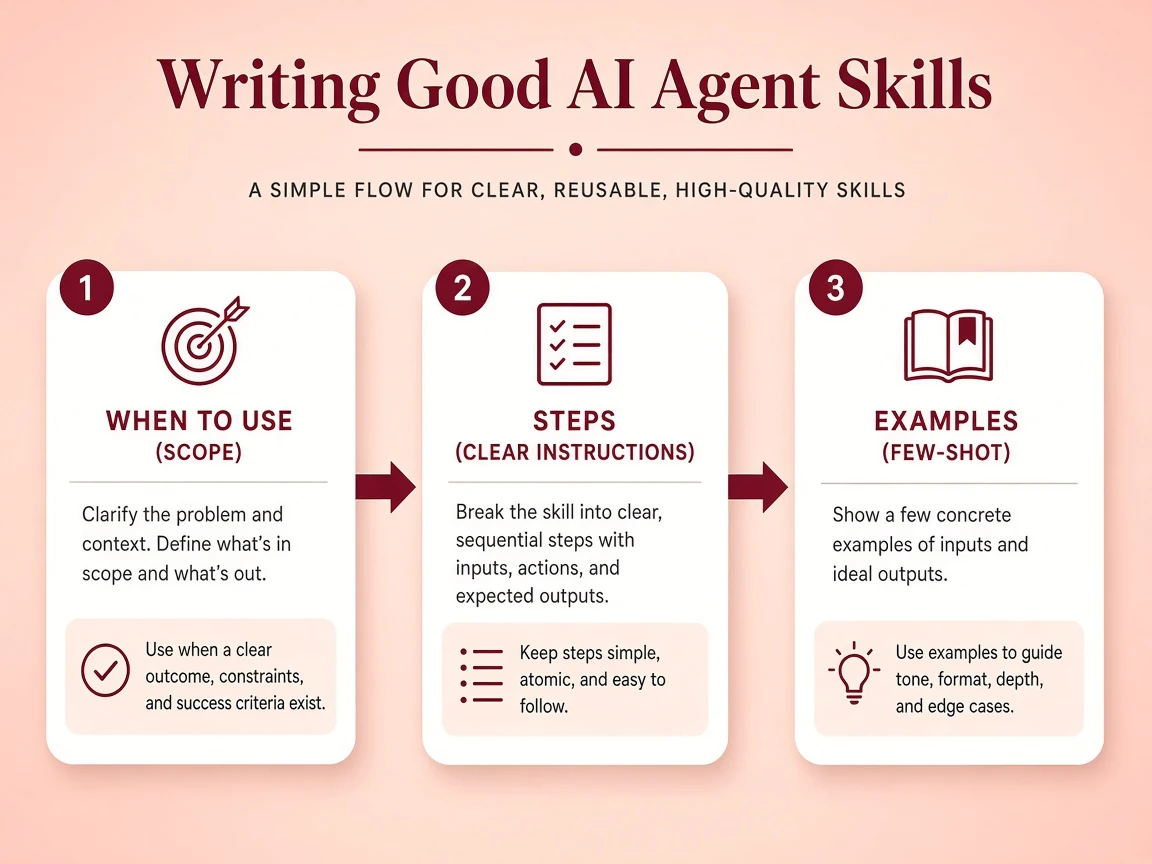
The set includes /writing-great-skills. Treat that as the skill about skills. Pocock’s core idea is blunt: a skill makes a guessing system more predictable. Same process every run. Not identical wording every time.
| Checklist before you save a skill | |||
|---|---|---|---|
| One job | Right start mode | Wake-up phrases | Steps you can check |
| Short, then longer | Mix small skills | Point at real files | Cut unused lines |
Start from a problem you already feel
Copy one Pocock skill that matches a real friction (grilling or tests-first for most people). Run it on a real change. Rewrite the copy in your project’s language. That loop teaches more than ten generic prompt-writing posts.
5 A loop worth running this week
- GrillAsk until the real goal is clear
- SpecWrite what “done” means
- TicketsBreak the work into checks
- ImplementWrite checks, then the code, then review
- Install the set and run setup once.
- Run one full loop on a change that is not tiny.
- If the agent still wanders, fix the shared project language before you buy another course.
- On a live project,
/improve-codebase-architectureevery few days keeps the mess from winning.
6 Where this fits a broader AI learning path
You still need to know how to use large language models (LLMs): the programming interfaces, how to write prompts, how to add extra facts (RAG), how to build agents, how to check quality. Agent skills do not replace that stack. They sit on top. Once you can call a model, skills decide whether it behaves like a careful engineer or like a guessing machine.
For people who already ship websites and apps, the path that has paid off for me is simple: keep shipping the real product, add agent skills so the helper stays on the goal and gets checked, then go deeper into RAG or quality checks when the product actually needs them. Build first. Do not train a model for sport.